Index >> Graphic Apps >> Icon Tools >> IconCool Manager
Report SpywareIconCool Manager 6.20.121120

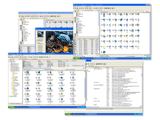 Click to enlarge screenshot
Software Description:
IconCool Manager - Icon extractor,maker,icon library manager and a directory of 800 icon websites.
IconCool is a powerful tool to manage, extract, convert, modify, search, create, enlarge or reduce xp icons and vista icons. An icon library with dozens of sample entries is included and accessible through a tree-style organizational system, allowing you to categorize icons and create new libraries within them. You can search icons in the library by keywords, and even add or edit the keywords of any icon. An icon search, extraction and conversion tab lets you view icons within files and save them in various sizes as ICO, CUR, GIF, JPG, BMP,r PNG, EMF, TGA, WMF, TIF and WBMP format images. You can also convert images from 25 formats to icons. You can export a total icon library to an ICL file. You can move icons easily using the powerful Drag and Drop functions. IconCool has some special and fascinating functions: A.)IconCool can enlarge or reduce a transparent icon, and the new icon will be transparent too; B.)IconCool can convert any part of a picture to a transparent icon by simply dragging your mouse; C.) IconCool can change the color depth of icons easily; D.) The smart image capturing tool can be used to capture images of various sizes from your desktop or any other software. A third tab includes a large directory of 800 icon web sites and allows you to edit, delete, and add sites. Now IconCool supports Windows XP 32bit icons. Now you can drag-drop icon files from your Windows Explorer to any icon library.Icon library, icon extractor & icon manager.1000 free sample icons included.
IconCool is a powerful tool to manage, extract, convert, modify, search, create, enlarge or reduce xp icons and vista icons. An icon library with dozens of sample entries is included and accessible through a tree-style organizational system, allowing you to categorize icons and create new libraries within them. You can search icons in the library by keywords, and even add or edit the keywords of any icon. An icon search, extraction and conversion tab lets you view icons within files and save them in various sizes as ICO, CUR, GIF, JPG, BMP,r PNG, EMF, TGA, WMF, TIF and WBMP format images. You can also convert images from 25 formats to icons. You can export a total icon library to an ICL file. You can move icons easily using the powerful Drag and Drop functions. IconCool has some special and fascinating functions: A.)IconCool can enlarge or reduce a transparent icon, and the new icon will be transparent too; B.)IconCool can convert any part of a picture to a transparent icon by simply dragging your mouse; C.) IconCool can change the color depth of icons easily; D.) The smart image capturing tool can be used to capture images of various sizes from your desktop or any other software. A third tab includes a large directory of 800 icon web sites and allows you to edit, delete, and add sites. Now IconCool supports Windows XP 32bit icons. Now you can drag-drop icon files from your Windows Explorer to any icon library.Icon library, icon extractor & icon manager.1000 free sample icons included.
Feature List:
- IconCool can enlarge or reduce a transparent icon, and the new icon will be transparent too
- IconCool can convert any part of a picture to a transparent icon by simply dragging your mouse
- IconCool can change the color depth of icons easily
- The smart image capturing tool can be used to capture images of various sizes from your desktop or any other software. A third tab includes a large directory of 800 icon web sites and allows you to edit, delete, and add sites. Now IconCool supports Windows XP 32bit icons
100% Clean:
 IconCool Manager 6.20.121120 is 100% clean
This download (iconcl6.exe) was tested thoroughly and was found 100% clean. Click "Report Spyware" link on the top if you found this software contains any form of malware, including but not limited to: spyware, viruses, trojans and backdoors.
Related Software:
- IconUtils 5.40 - Let your imagination embody in an icon format. IconUtils have all you need.
- Image Icon Converter 1.3.5 - Converts BMP, JPEG, GIF, PNG, TGA, TIF and PCX formats into Windows icons.
- Icon Processor 3.14 - Personalize your desktop with nifty icons converted from your photos or images
- Any to Icon 3.53 - A wizard converter to produce your own icons from any image or a Mac OS icon
- Image2Ico 2.3 - Powerful and easy-to-use utility for convert bitmap and gif images to icon
- Icon Seizer 1.9 - Explore, view and extract icons from various file types.
- Sib Icon Replacer 2.32 - A compact tool which will take great care of all your icon management needs
- IconEdit2 7.2 - Create and edit icon files with professional yet easy-to-use Icon Editor.
- IconXP 3.34 - You can edit icons and other small images and customize desktop and folder icons
- Axialis IconWorkshop 6.90 - Tool designed to make, edit, convert icons for Windows, MacOS and toolbars
top 10 most downloaded


recommended software
-
- 1AVCenter
- With 1AVCenter you can record your entire screen or part of it directly to AVI or WMV, capture screenshots in JPG, share your screen over the internet...

-
- IconEdit2
- Create and edit icon files for Windows, iPhone, iPad, Apple Watch, and Android with professional yet easy-to-use Icon Editor. IconEdit2 has full suppo...
