Index >> System Utilities >> System Maintenance >> SuperRam
Report SpywareSuperRam 7.5.9.2016e

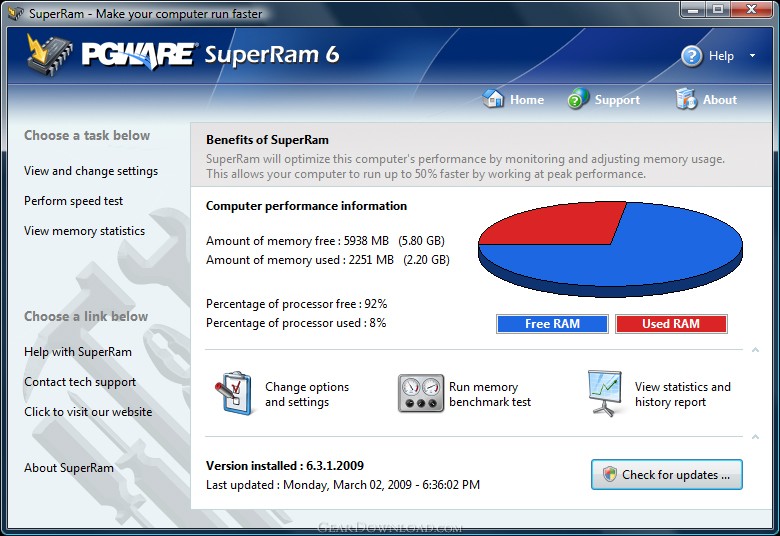 Click to enlarge screenshot
Software Description:
SuperRam - Make your computer faster with more memory and take control of your computer.
SuperRam makes your computer run faster by taking control and managing the memory on your computer efficiently. If you notice your computer is running slow, this typically is due to the memory (RAM) running out of usable space. When memory space gets lower, Windows then starts opening programs into the Windows page file; this page file is the computer hard drive which is much slower than RAM. SuperRam switches this behavior and puts old programs into the Windows page file and any newly opened programs are put into actual RAM. This change in how Windows operates allows programs and games to run faster. SuperRam constantly runs in the background on your computer and determines when the memory on your computer is getting to a low threshold; once it reaches this threshold it immediately frees memory back to the computer and makes programs run faster since they have access to physical memory. SuperRam's settings allow you to freely adjust and change this low memory threshold and give you the ability to determine how much memory to free back to Windows. SuperRam gives you full control over how memory works on your computer and allows you to fine tune how your computer operates. SuperRam intelligently manages memory unlike many other memory management programs available on the internet. SuperRam monitors how much of your computer processor is being utilized; ensuring that it does not free memory when the computer is processing large amounts of data and cause slowdowns. SuperRam can also detect when a program is running full screen, such as a game or a DVD and prevent memory from being freed to also prevent the screen from lagging and causing video problems to occur. If you are using a laptop SuperRam can also be told not to run when the laptop is on battery power and only work when plugged in. These settings allow you to fully control SuperRam and dictate how your computer works.
What's New: -Fixed bug in updater that would cause the new version not to install correctly and report incorrectly an older version was installed.
Limitations: 30 Days Trial
SuperRam makes your computer run faster by taking control and managing the memory on your computer efficiently. If you notice your computer is running slow, this typically is due to the memory (RAM) running out of usable space. When memory space gets lower, Windows then starts opening programs into the Windows page file; this page file is the computer hard drive which is much slower than RAM. SuperRam switches this behavior and puts old programs into the Windows page file and any newly opened programs are put into actual RAM. This change in how Windows operates allows programs and games to run faster. SuperRam constantly runs in the background on your computer and determines when the memory on your computer is getting to a low threshold; once it reaches this threshold it immediately frees memory back to the computer and makes programs run faster since they have access to physical memory. SuperRam's settings allow you to freely adjust and change this low memory threshold and give you the ability to determine how much memory to free back to Windows. SuperRam gives you full control over how memory works on your computer and allows you to fine tune how your computer operates. SuperRam intelligently manages memory unlike many other memory management programs available on the internet. SuperRam monitors how much of your computer processor is being utilized; ensuring that it does not free memory when the computer is processing large amounts of data and cause slowdowns. SuperRam can also detect when a program is running full screen, such as a game or a DVD and prevent memory from being freed to also prevent the screen from lagging and causing video problems to occur. If you are using a laptop SuperRam can also be told not to run when the laptop is on battery power and only work when plugged in. These settings allow you to fully control SuperRam and dictate how your computer works.
What's New: -Fixed bug in updater that would cause the new version not to install correctly and report incorrectly an older version was installed.
Limitations: 30 Days Trial
100% Clean:
 SuperRam 7.5.9.2016e is 100% clean
This download (superram.exe) was tested thoroughly and was found 100% clean. Click "Report Spyware" link on the top if you found this software contains any form of malware, including but not limited to: spyware, viruses, trojans and backdoors.
Related Software:
- PCBoost 5.5.9.2016e - Boost your computer speed and performance the easy way. Easy overclocking.
- PCMedik 8.5.9.2016e - Fix and boost your computer speed the easy way. Make your computer faster.
- Casper RAM Cleaner 2.3 - Casper RAM Cleaner increases your system performance.
- StartPro 2.0 - Gain control of your Windows startup
- Serial Splitter 3.0 - Enable all applications to receive same data from a serial port simultaneously.
- PC Tweaker 2.20 - Using PC Tweaker you can improve software and internet connection productivity.
- Actions Monitor 1.02 - Monitor and display system activity.
- ActiveStartup 1.45 - Windows startup manager. Supports backup/restore configurations.
- Key Transformation 8.1701 - Customize keyboard layout; Change key on keyboard; On screen keyboard.
- SystemAI 1.5 - SystemAI™ creates an ideal virtual computer for each of your applications.
top 10 most downloaded


recommended software
-
- AppleXsoft Photo Recovery for Mac
- AppleXsoft Photo Recovery is the comprehensive digital media data rescue software designed for Mac users, it featuring innovative photo recovery algor...

-
- Cacheman
- Memory is one of the most important pieces of computer hardware as it is in constant use no matter what a PC is used for. There is a tremendous number...
