Index >> System Utilities >> File & Disk Management >> Side-By-Side Explorer
Report SpywareSide-By-Side Explorer 4.0

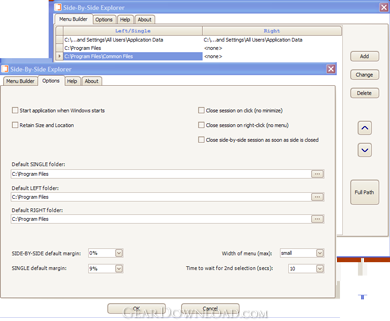 Click to enlarge screenshot
Software Description:
Side-By-Side Explorer - SBS handles Windows Explorer (the OS file manager) from the system tray.
SBS Explorer handles Windows Explorer (the OS file manager) from the system tray.
Click to open one centered Explorer.
Double-click to open a pair of side-by-side Explorers.
Use the Menu Builder to create custom Explorer configurations in the context menu.
Each session (single or double) has its own tray icon.
Click icon to hide, show, join, switch, etc., sessions, independent of other windows on screen.
Make a double session out of two singles.
Windows Explorer is an excellent file manager. But when you navigate to the same location over and over again, you wish you could do that easier. SBS can start with Windows. You click its icon in the system tray, or choose from its context menu, to open Explorer sessions.
The Menu Builder is where you customize the context menu. Add double or single sessions. An alternative way of using SBS is to add just single sessions to the context menu, and when a double is needed, auto-join makes it out of two singles you select.
Sessions have each a tray icon. From there, hide, show, switch , etc. Hiding removes Explorers from the taskbar, to avoid clutter (have a session icon instead).
No more lost Explorers among other windows, as sessions now own them. Close a session and it will close its Explorers. Or bring it to front. You may close Explorers manually and sessions update themselves automatically.
Unicode/UTF-8 is supported.
SBS Explorer handles Windows Explorer (the OS file manager) from the system tray.
Click to open one centered Explorer.
Double-click to open a pair of side-by-side Explorers.
Use the Menu Builder to create custom Explorer configurations in the context menu.
Each session (single or double) has its own tray icon.
Click icon to hide, show, join, switch, etc., sessions, independent of other windows on screen.
Make a double session out of two singles.
Windows Explorer is an excellent file manager. But when you navigate to the same location over and over again, you wish you could do that easier. SBS can start with Windows. You click its icon in the system tray, or choose from its context menu, to open Explorer sessions.
The Menu Builder is where you customize the context menu. Add double or single sessions. An alternative way of using SBS is to add just single sessions to the context menu, and when a double is needed, auto-join makes it out of two singles you select.
Sessions have each a tray icon. From there, hide, show, switch , etc. Hiding removes Explorers from the taskbar, to avoid clutter (have a session icon instead).
No more lost Explorers among other windows, as sessions now own them. Close a session and it will close its Explorers. Or bring it to front. You may close Explorers manually and sessions update themselves automatically.
Unicode/UTF-8 is supported.
100% Clean:
 Side-By-Side Explorer 4.0 is 100% clean
This download (SBS40_install.exe) was tested thoroughly and was found 100% clean. Click "Report Spyware" link on the top if you found this software contains any form of malware, including but not limited to: spyware, viruses, trojans and backdoors.
Related Software:
- Folder Cache 2.6 - Access to the recently used & favorite folders from the Save and Open dialogs.
- O&O Defrag Professional Edition 16.0 - Faster system starts, accelerated programs, and professional settings
- Visual Comparer 1.40 - Visual file compare and merge of the text files with syntax hightlight
- Advanced CATaloguer Pro 2.6 - Professional software for cataloguing on all kinds of media
- EF Duplicate Files Manager 7.10 - Find out duplicate files with same name, same size, same content
- EF Find 8.00 - EF Find is a powerful search program also inside archive files.
- Visual Multitool 4.4 - It is a file viewer, finder and editor with text tools.
- Advanced File Organizer 3.01 - Powerful cataloguer for all kinds of removable media, network drives, hard disk.
- Owl Commander 4.0 - Owl Commander is a complete solution for managing files for Windows Computer.
- MyBFL:The Body for LIFE Companion 6.4c - Complete body for life S/W for palm includes Meal Planner,Graphs,Photo Album.
top 10 most downloaded


recommended software
-
- AppleXsoft Photo Recovery for Mac
- AppleXsoft Photo Recovery is the comprehensive digital media data rescue software designed for Mac users, it featuring innovative photo recovery algor...

-
- Cacheman
- Memory is one of the most important pieces of computer hardware as it is in constant use no matter what a PC is used for. There is a tremendous number...
