Index >> System Utilities >> Backup & Restore >> Ocster Backup Pro
Report SpywareOcster Backup Pro 9.05

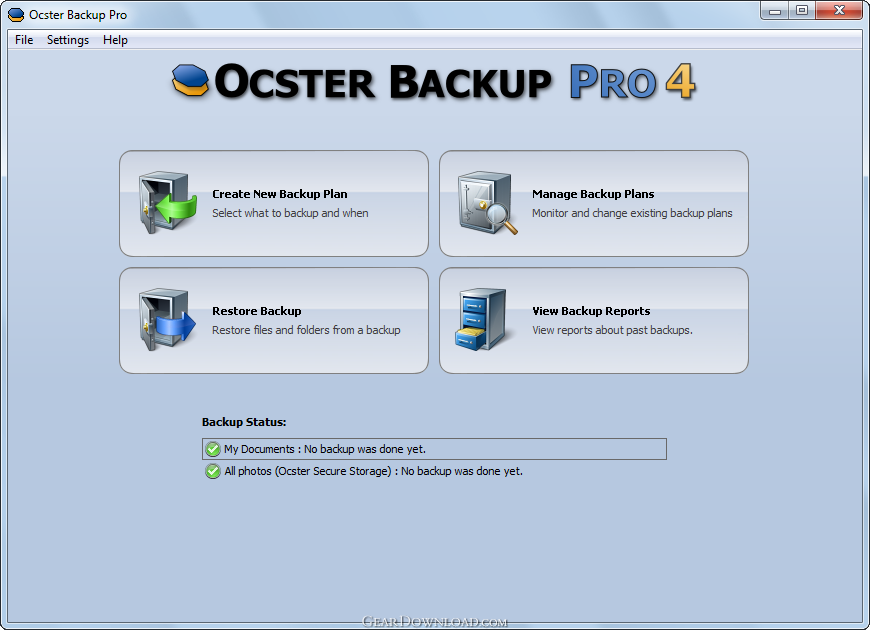 Click to enlarge screenshot
Software Description:
Ocster Backup Pro - Exceptionally easy and powerful backup tool.
Exceptionally easy and powerful backup tool. Supports Cloud Backup (including image backup!), as well as backup to local drives or network drives. Supports most big cloud storage providers (Google, OneDrive, Dropbox, and many more). Creates 50% smaller image backups than competing products (Infinite Reverse Incremental Image Backup). Also supports file backup and includes shortcuts to backup the data from many applications (Windows Mail, Calendar and People app, Outlook, Thunderbird, Internet Explorer, Chrome, Firefox, ...).
What's New: 40% faster; Extensive cloud backup support; Many optimizations and other improvements
Limitations: 30 Days Trial
Exceptionally easy and powerful backup tool. Supports Cloud Backup (including image backup!), as well as backup to local drives or network drives. Supports most big cloud storage providers (Google, OneDrive, Dropbox, and many more). Creates 50% smaller image backups than competing products (Infinite Reverse Incremental Image Backup). Also supports file backup and includes shortcuts to backup the data from many applications (Windows Mail, Calendar and People app, Outlook, Thunderbird, Internet Explorer, Chrome, Firefox, ...).
What's New: 40% faster; Extensive cloud backup support; Many optimizations and other improvements
Limitations: 30 Days Trial
Feature List:
- Creates fully automatic backups of your data
- Backups can be stopped and resumed. This is handy when the computer needs to be shut down, for example
- Backup Reports: Detailed backup reports can be generated each time the backup is updated. The contents of the reports can be configured
- Backup reports can be automatically sent to an email address. That way you can be up-to-date on the state of your backups even when you are on a business trip or if the computer is simply a server in your attic
- Files and folders on network drives can also be backed up. The backup data can also be stored on network drives if that is desired
- Backups are strongly encrypted and protected with a user password. The encryption algorithm can be configured, if that is desired
- Backups are compressed intelligently to save space. Different compression types are available: from fast ones with moderate compression to slower ones with excellent compression
- Backups can be started either automatically at scheduled times or manually by clicking a button
- Backups can be stored on hard disk, USB sticks, network drives and Ocster Secure Storage
- Stores the files in professional data center
- After an initial full backup only the changes to the previous state are stored. This saves space and reduces transfer times
- Files and folders that are in use can be backed up as well
- Hard links and symbolic links can be backed up and are properly restored as hard links and symbolic links
- Compressed, encrypted and sparse files can also be backed up
- Backup can be encrypted the following algithms: AES 256 Bit, AES 128 Bit, BlowFish, Cast-128
- The software supports the following compression types: ZLib, LZMA Quick, LZMA Normal, LZMA Best
- Through smart uses of compression the software can achieve high compression rates, even with many small files
100% Clean:
 Ocster Backup Pro 9.05 is 100% clean
This download (ocster_backup_pro.exe) was tested thoroughly and was found 100% clean. Click "Report Spyware" link on the top if you found this software contains any form of malware, including but not limited to: spyware, viruses, trojans and backdoors.
Related Software:
- ! - Oops 1.02 - ! Oops ! - the independant auto-save.
- ERS 2K/XP, Emergency Recovery System FAT/FAT32 6.01 - Win 2K/XP, Recover gracefully from a system crash with ERS 2K/XP.
- ERS 9x, Emergency Recovery System 9x 11.45 - Win 95/98/ME Recover gracefully from a system crash with ERS.
- Acronis True Image Enterprise Server 8.0 - Real-time disk backup, disk imaging, and bare metal restore for Windows servers
- NH Backup 3.0.74 - Get a fast, reliable and affordable backups solution.
- DataBK SQL Server Backup 11.0.6 - Backup and restore Microsoft SQL Server database to a local or network drive.
- Outlook Express Backup Restore 2.364 - Backup your Outlook Express and restore it when it is necessary.
- Backup4all Professional 6.1.180 - Customizable backup program. Full, incremental, differential and mirror backups
- MinuteMan Data Backup Suite 8.54 - MinuteMan Data Backup with MinZip and MinSelfEx.
- Adolix Outlook Express Backup 3.0 - The easiest way to backup email data from Top Email Clients
top 10 most downloaded


recommended software
-
- AppleXsoft Photo Recovery for Mac
- AppleXsoft Photo Recovery is the comprehensive digital media data rescue software designed for Mac users, it featuring innovative photo recovery algor...

-
- Cacheman
- Memory is one of the most important pieces of computer hardware as it is in constant use no matter what a PC is used for. There is a tremendous number...
