Index >> System Utilities >> Other >> HibernateOnPowerFail
Report SpywareHibernateOnPowerFail 0.9.0.1

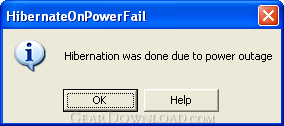 Click to enlarge screenshot
Software Description:
HibernateOnPowerFail - Put computer with battery to hibernation sleep mode quickly when power fails.
I have a notebook where the battery is only good for a few minutes. So quite enough power to send the computer to sleep when there is a power outage. Or if - as has happened once too often - I forget to turn on power before using the notebook. Sadly I couldn't configure Windows XPs power management so that it sends the computer to hibernate quickly in these cases. Typically it takes a few minutes before the built in Windows tool realizes battery power is running out, and then it is too late. Crash, hard disk needs recheck, data and work is lost.
That's why HibernateOnPowerFail was created.
Here you can Download the latest version. Just copy it to the location you want to keep it and run it. It will try to do the job; if possible it installs itself as a system service, which means it can hibernate the computer without anyone logged in. Note: no copy of the program is created, so you must not move or delete the program once the service is installed. If install as a service fails, e.g. because you don't have the administrative privileges, the program just runs as an ordinary application. But then you have to restart it every time when you log on, or place it into the autostart folder.
Usually double-clicking the exe does what you want, but for more control there are some command line options:
-i: install as service and start service (needs admin rights);
-u: uninstall service (needs admin rights);
-a: run as application;
-h, -?, or unknown option: show this help message;
no option: try to run as service; on failure run as application.
Finally, as always... the program is supplied as is without any warranties whatsoever, exept for one point: I assure you the program was written with good intentions only. I hope it works and is of some use for you.
I have a notebook where the battery is only good for a few minutes. So quite enough power to send the computer to sleep when there is a power outage. Or if - as has happened once too often - I forget to turn on power before using the notebook. Sadly I couldn't configure Windows XPs power management so that it sends the computer to hibernate quickly in these cases. Typically it takes a few minutes before the built in Windows tool realizes battery power is running out, and then it is too late. Crash, hard disk needs recheck, data and work is lost.
That's why HibernateOnPowerFail was created.
Here you can Download the latest version. Just copy it to the location you want to keep it and run it. It will try to do the job; if possible it installs itself as a system service, which means it can hibernate the computer without anyone logged in. Note: no copy of the program is created, so you must not move or delete the program once the service is installed. If install as a service fails, e.g. because you don't have the administrative privileges, the program just runs as an ordinary application. But then you have to restart it every time when you log on, or place it into the autostart folder.
Usually double-clicking the exe does what you want, but for more control there are some command line options:
-i: install as service and start service (needs admin rights);
-u: uninstall service (needs admin rights);
-a: run as application;
-h, -?, or unknown option: show this help message;
no option: try to run as service; on failure run as application.
Finally, as always... the program is supplied as is without any warranties whatsoever, exept for one point: I assure you the program was written with good intentions only. I hope it works and is of some use for you.
100% Clean:
 HibernateOnPowerFail 0.9.0.1 is 100% clean
This download (HibernateOnPowerFail.exe) was tested thoroughly and was found 100% clean. Click "Report Spyware" link on the top if you found this software contains any form of malware, including but not limited to: spyware, viruses, trojans and backdoors.
Related Software:
- Advanced-Password-Manager 3.0 - Advance Password Manager is a safe & user friendly password management utility.
- FastSum Standard Edition 1.6 - Check the integrity and track changes within your important files
- Acronis True Image Corporate Workstation 8.0 - Data and system backup and restore solution for corporate workstations
- Ashampoo PowerUp 3 3.23 - More protection, more control, faster and easier than ever
- Odbc 4 All 2.3 - Easy connection to ODBC data sources for any application, DOS and scripts too !
- Antechinus eBook Wizard 3.2 - Use eBook Wizard to compile your highly-compressed eBooks easily and in no time.
- O&O DriveLED 2.0 - O&O DriveLED permanently monitors the status of the hard disks in the background
- Unusual Works Utility Pack 1.0 - CD Ejector and Note Manager programs.
- 1-abc.net Surf Trail Washer 7.00 - Tool to delete your internet trail (files, cookies, history, URLs) permanently!
- txt2pdf 10.2 - txt2pdf is a flexible and powerful converter from text files to PDFs
top 10 most downloaded


recommended software
-
- AppleXsoft Photo Recovery for Mac
- AppleXsoft Photo Recovery is the comprehensive digital media data rescue software designed for Mac users, it featuring innovative photo recovery algor...

-
- Cacheman
- Memory is one of the most important pieces of computer hardware as it is in constant use no matter what a PC is used for. There is a tremendous number...
