Index >> System Utilities >> File & Disk Management >> EzMigration
Report SpywareEzMigration 3.2.4.0

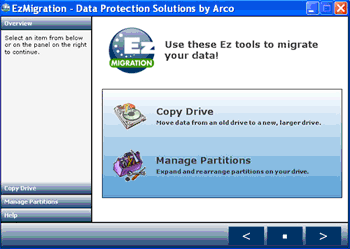 Click to enlarge screenshot
Software Description:
EzMigration - Make an exact bit by bit copy of your drive; expand the partition if necessary
EzMigration takes all the work out of moving to a new or larger boot drive or data drive. There's no need to rebuild a drive or to spend hours reinstalling applications and searching the net for updates and drivers. You simply migrate everything in one simple drive copy operation then expand the drive partition, if necessary.
When you migrate a boot drive you cannot simply copy individual files from one drive to another if you want the new drive to be bootable. To create a duplicate boot drive that contains working applications, you need to move all the data as a single drive image. EzMigration drive migration software creates that drive image copy for you and transfers it to your new drive. It places what is essentially a clone of your original, on the new drive. EzMigration copies your data bit by bit , not file by file. When you copy a drive in this way, you are able to migrate not only your data files but your installed applications, preferences and even the partitioning information from your old drive.
Ezmigration software eliminates all the time and effort normally required to set up a new drive. With just a few mouse clicks, the job is done. But migrating your drive contents is only part of what EzMigration can do for you. When you transfer an image copy of your original drive to a new drive, the image creates a partition on the new drive. If your old and new drives are the same size, the partition will occupy all the space on the new one.
However, if your new drive is bigger than your old one, you will end up with a partition the size of your old drive on the new drive and you may be left with a lot of empty space on the larger drive that you cannot access. EzMigration's partition expansion tool lets you easily move or expand the partition and regain that space.
Download and purchase EzMigration today.
What's New: Added 64-bit support for WinXP, Vista and Win7
EzMigration takes all the work out of moving to a new or larger boot drive or data drive. There's no need to rebuild a drive or to spend hours reinstalling applications and searching the net for updates and drivers. You simply migrate everything in one simple drive copy operation then expand the drive partition, if necessary.
When you migrate a boot drive you cannot simply copy individual files from one drive to another if you want the new drive to be bootable. To create a duplicate boot drive that contains working applications, you need to move all the data as a single drive image. EzMigration drive migration software creates that drive image copy for you and transfers it to your new drive. It places what is essentially a clone of your original, on the new drive. EzMigration copies your data bit by bit , not file by file. When you copy a drive in this way, you are able to migrate not only your data files but your installed applications, preferences and even the partitioning information from your old drive.
Ezmigration software eliminates all the time and effort normally required to set up a new drive. With just a few mouse clicks, the job is done. But migrating your drive contents is only part of what EzMigration can do for you. When you transfer an image copy of your original drive to a new drive, the image creates a partition on the new drive. If your old and new drives are the same size, the partition will occupy all the space on the new one.
However, if your new drive is bigger than your old one, you will end up with a partition the size of your old drive on the new drive and you may be left with a lot of empty space on the larger drive that you cannot access. EzMigration's partition expansion tool lets you easily move or expand the partition and regain that space.
Download and purchase EzMigration today.
What's New: Added 64-bit support for WinXP, Vista and Win7
100% Clean:
 EzMigration 3.2.4.0 is 100% clean
This download was tested thoroughly and was found 100% clean. Click "Report Spyware" link on the top if you found this software contains any form of malware, including but not limited to: spyware, viruses, trojans and backdoors.
Related Software:
- Folder Cache 2.6 - Access to the recently used & favorite folders from the Save and Open dialogs.
- O&O Defrag Professional Edition 16.0 - Faster system starts, accelerated programs, and professional settings
- Visual Comparer 1.40 - Visual file compare and merge of the text files with syntax hightlight
- Advanced CATaloguer Pro 2.6 - Professional software for cataloguing on all kinds of media
- EF Duplicate Files Manager 7.10 - Find out duplicate files with same name, same size, same content
- EF Find 8.00 - EF Find is a powerful search program also inside archive files.
- Visual Multitool 4.4 - It is a file viewer, finder and editor with text tools.
- Advanced File Organizer 3.01 - Powerful cataloguer for all kinds of removable media, network drives, hard disk.
- Owl Commander 4.0 - Owl Commander is a complete solution for managing files for Windows Computer.
- MyBFL:The Body for LIFE Companion 6.4c - Complete body for life S/W for palm includes Meal Planner,Graphs,Photo Album.
top 10 most downloaded


recommended software
-
- AppleXsoft Photo Recovery for Mac
- AppleXsoft Photo Recovery is the comprehensive digital media data rescue software designed for Mac users, it featuring innovative photo recovery algor...

-
- Cacheman
- Memory is one of the most important pieces of computer hardware as it is in constant use no matter what a PC is used for. There is a tremendous number...
