Index >> System Utilities >> Backup & Restore >> BounceBack Ultimate
Report SpywareBounceBack Ultimate 11.0

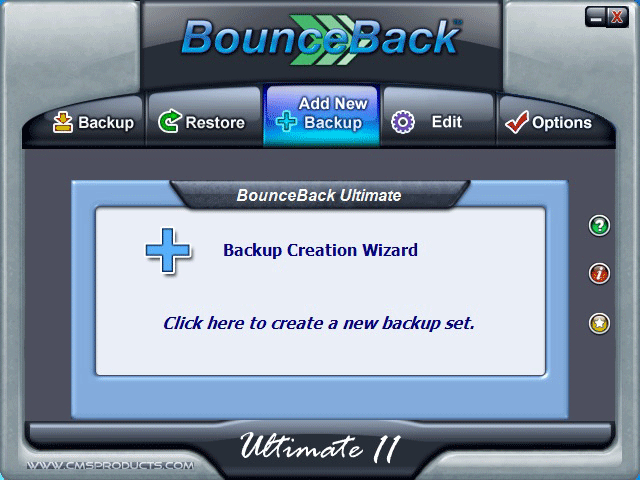 Click to enlarge screenshot
Software Description:
BounceBack Ultimate - BounceBack Free-backup, restore & recover your ENTIRE hard drive
BounceBack Free Instant PC Recovery software creates a complete copy of your computer's primary hard drive and enables you to start your Windows operating system from an external USB hard drive. CMS's patent pending Instant PC Recovery technology enables you to save valuable time in the event of a hard drive crash or data corruption and gets you up and running by simply restarting your computer from the USB hard drive.
Continuous Data Protection(CDP): Automatically backup files that have been changed or newly created on a continuous basis.
Incremental Backup: Backup files that have been added or modified since the last time your backup ran.
QuickRestore: Browse backup drive contents and restore single files or folders quickly and easily.
Native File Backup: All data is backed up in its original file format for easy access and data sharing.
Instant PC Recovery: Externally run your system from the external USB hard drive in the event of a primary drive failure.
Full System Backup: Create an exact copy of your computer including all your programs,data and operating system which you can start from in the event of a system malfunction.
Two-Click Restore: Restore your system to its last backed up state with only two mouse clicks.
Drive Formatting: Automatically partition and format your backup drive to match your computer's own internal hard drive.
Backup Sets: Create custom sets of data to backup, and specify your backup destination.
Scheduling: Schedule backups to take place at specific day or time intervals, or upon connection of the backup drive.
Multiple Backup Destinations: Backup to different local or mapped network drives at the same time.
File Synchronization: Synchronize data between multiple computers/hard drives.
File Versioning: View and restore previously saved versions of files.
Data Encryption: Protect your valuable data with powerful government grade AES 256-bit data encryption.
Limitations: 30 Days Trial
BounceBack Free Instant PC Recovery software creates a complete copy of your computer's primary hard drive and enables you to start your Windows operating system from an external USB hard drive. CMS's patent pending Instant PC Recovery technology enables you to save valuable time in the event of a hard drive crash or data corruption and gets you up and running by simply restarting your computer from the USB hard drive.
Continuous Data Protection(CDP): Automatically backup files that have been changed or newly created on a continuous basis.
Incremental Backup: Backup files that have been added or modified since the last time your backup ran.
QuickRestore: Browse backup drive contents and restore single files or folders quickly and easily.
Native File Backup: All data is backed up in its original file format for easy access and data sharing.
Instant PC Recovery: Externally run your system from the external USB hard drive in the event of a primary drive failure.
Full System Backup: Create an exact copy of your computer including all your programs,data and operating system which you can start from in the event of a system malfunction.
Two-Click Restore: Restore your system to its last backed up state with only two mouse clicks.
Drive Formatting: Automatically partition and format your backup drive to match your computer's own internal hard drive.
Backup Sets: Create custom sets of data to backup, and specify your backup destination.
Scheduling: Schedule backups to take place at specific day or time intervals, or upon connection of the backup drive.
Multiple Backup Destinations: Backup to different local or mapped network drives at the same time.
File Synchronization: Synchronize data between multiple computers/hard drives.
File Versioning: View and restore previously saved versions of files.
Data Encryption: Protect your valuable data with powerful government grade AES 256-bit data encryption.
Limitations: 30 Days Trial
Feature List:
- Creates a fully functional clone of your Windows system hard drive on external USB hard drive
- Start-Up and Recover From an External USB Hard Drive
- Automatically backup changes to your system with Continuous Data Protection (CDP)
- Or Create Customize Preferences with Backup Scheduler
- Data Saved in Native File Format - Immediate Access To Files
- Backup data to Any USB Hard Drive, Secondary storage devices or even a Network Drive
- Or to Multiple Destinations At Same Time
- Secure Files With AES-256 Encryption
- Maintain Point In Time “Versioned” Backups
- Synchronize Backup Data Between Two Computers
100% Clean:
 BounceBack Ultimate 11.0 is 100% clean
This download (BBUlt110-dwn.exe) was tested thoroughly and was found 100% clean. Click "Report Spyware" link on the top if you found this software contains any form of malware, including but not limited to: spyware, viruses, trojans and backdoors.
Related Software:
- ! - Oops 1.02 - ! Oops ! - the independant auto-save.
- ERS 2K/XP, Emergency Recovery System FAT/FAT32 6.01 - Win 2K/XP, Recover gracefully from a system crash with ERS 2K/XP.
- ERS 9x, Emergency Recovery System 9x 11.45 - Win 95/98/ME Recover gracefully from a system crash with ERS.
- Acronis True Image Enterprise Server 8.0 - Real-time disk backup, disk imaging, and bare metal restore for Windows servers
- NH Backup 3.0.74 - Get a fast, reliable and affordable backups solution.
- DataBK SQL Server Backup 11.0.6 - Backup and restore Microsoft SQL Server database to a local or network drive.
- Outlook Express Backup Restore 2.364 - Backup your Outlook Express and restore it when it is necessary.
- Backup4all Professional 6.1.180 - Customizable backup program. Full, incremental, differential and mirror backups
- MinuteMan Data Backup Suite 8.54 - MinuteMan Data Backup with MinZip and MinSelfEx.
- Adolix Outlook Express Backup 3.0 - The easiest way to backup email data from Top Email Clients
top 10 most downloaded


recommended software
-
- AppleXsoft Photo Recovery for Mac
- AppleXsoft Photo Recovery is the comprehensive digital media data rescue software designed for Mac users, it featuring innovative photo recovery algor...

-
- Cacheman
- Memory is one of the most important pieces of computer hardware as it is in constant use no matter what a PC is used for. There is a tremendous number...
