Index >> Graphic Apps >> Editors >> CAD KAS PDF Editor
Report SpywareCAD KAS PDF Editor 4.0

 Click to enlarge screenshot
Software Description:
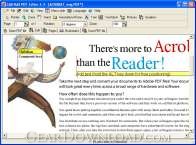
CAD KAS PDF Editor - Edit PDF files now! You can write annotations, add text, change the text etc.
Edit PDF files now! You can write annotations, add text, change the text (correct spelling errors) or delete words completely. Now you can also add or delete pictures and vector graphics and add text in any font you want! With the 11 new tools you can move and zoom the text and pictures and you can edit text blocks, insert empty lines or change the line breaks freely just like a text editor or word processor. Underline, highlight and strikeout text and edit bookmarks too. Change the order of the pages or delete pages. Also you can hide the information on a page so that it is invisible in the Acrobat Reader but can be unhidden later. You can change the page size or move the content. Add stamps like "Confidential" or "Top secret". The source code of the page (a language like HTML) is editable for you. Use the program to read and write encrypted pdf files. The program leaves the layout untouched after saving if you don't want to change it. New in version 2.5: 1)New function: File/Reduce file size 2)Stamp functions 3)Page numbers and headers/footers function 4)Search and replace for the document text and search only function 5)Multiple form fields can be selected New functions for form fields 6) Better file repair function for corrupted pdf files 7)Faster drawing of vector objects 30% faster 8)Free highlighting function without the need for text objects (scanned file) 9)Split text objects into parts (split table rows into columns) New in version 2.6: 1) New form elements (pro version): Listbox, Drop-Down box, Radiobutton 2) New annotation fields: rectangle, ellipse, line, pencil 3) Rotate form fields 4) Setup the view of the file when opening the pdf file (for example show/hide bookmarks) 5) Page setup function for a scaled printout 6) A double click on a page under "Pages" opens the page in the Editor New in version 3.1: 1) You can write characters in any language (unicode support) 2) Just add a new font which contains your characters
What's New: 30 new functions
Limitations: A hint to the demo version will be added to the pdf files.
Edit PDF files now! You can write annotations, add text, change the text (correct spelling errors) or delete words completely. Now you can also add or delete pictures and vector graphics and add text in any font you want! With the 11 new tools you can move and zoom the text and pictures and you can edit text blocks, insert empty lines or change the line breaks freely just like a text editor or word processor. Underline, highlight and strikeout text and edit bookmarks too. Change the order of the pages or delete pages. Also you can hide the information on a page so that it is invisible in the Acrobat Reader but can be unhidden later. You can change the page size or move the content. Add stamps like "Confidential" or "Top secret". The source code of the page (a language like HTML) is editable for you. Use the program to read and write encrypted pdf files. The program leaves the layout untouched after saving if you don't want to change it. New in version 2.5: 1)New function: File/Reduce file size 2)Stamp functions 3)Page numbers and headers/footers function 4)Search and replace for the document text and search only function 5)Multiple form fields can be selected New functions for form fields 6) Better file repair function for corrupted pdf files 7)Faster drawing of vector objects 30% faster 8)Free highlighting function without the need for text objects (scanned file) 9)Split text objects into parts (split table rows into columns) New in version 2.6: 1) New form elements (pro version): Listbox, Drop-Down box, Radiobutton 2) New annotation fields: rectangle, ellipse, line, pencil 3) Rotate form fields 4) Setup the view of the file when opening the pdf file (for example show/hide bookmarks) 5) Page setup function for a scaled printout 6) A double click on a page under "Pages" opens the page in the Editor New in version 3.1: 1) You can write characters in any language (unicode support) 2) Just add a new font which contains your characters
What's New: 30 new functions
Limitations: A hint to the demo version will be added to the pdf files.
100% Clean:
 CAD KAS PDF Editor 4.0 is 100% clean
This download (pdfedit.exe) was tested thoroughly and was found 100% clean. Click "Report Spyware" link on the top if you found this software contains any form of malware, including but not limited to: spyware, viruses, trojans and backdoors.
Related Software:
- PDF Editor Objects 4.0 - Edit PDF files just like a vector objects. Select, scale, move and rotate....
- XPS Split and Merge 1.0 - Open existing XPS files,. Extract some pages, split the file and merge files.
- Geometric image warping 1.0 - Warps a part of an image into a given form on a other image.
- ASCII Art Generator 3.2.4.6 - Convert pictures into amazing colorful and readable text quickly and easily
- Colour Studio 2.0 - 5 plug-in filters for use with Adobe Photoshop or compatible host applications
- AKVIS Retoucher 6.0 - AKVIS Retoucher is an efficient software for photo restoration and retouching.
- FotoBatch 5.1.3.0818 - It will allow you to convert and processing image files using scripts.
- Project5 Photocut Processor 1.0.10.1005 - Bitmap tracer (raster to vector), realistic photo effect in vinyl decals
- FunPhotor 6.2003 - Fun Photo Creator - Put Your Face on Fantasy & Fun Photo!
- PixBuilder Studio 1.31 - PixBuilder Studio is graphic software for photo editing and images manipulation.
top 10 most downloaded


recommended software
-
- 1AVCenter
- With 1AVCenter you can record your entire screen or part of it directly to AVI or WMV, capture screenshots in JPG, share your screen over the internet...

-
- IconEdit2
- Create and edit icon files for Windows, iPhone, iPad, Apple Watch, and Android with professional yet easy-to-use Icon Editor. IconEdit2 has full suppo...
